Live course · for video editors

The Video Editor's AI WorkflowFaster cuts, not cheaper ones. A live course for video editors.

Edit much faster, and keep full control of every cut. Four live sessions, on your own footage. Built to fit the professional workflow you already have: Final Cut, Premiere or Resolve. Your AI. Tuned to your style.

DatesThu 19 Nov – Thu 10 Dec 2026
Live sessions4, weekly · Thursdays, 18:30 Lisbon / London (19:30 CET)
Seats12 · runs at 8
Founding price€145 · half price · VAT incl.
LanguageEnglish · online · recorded
  • Native projectsA real Final Cut, Premiere or Resolve timeline, not an export or a render.
  • Your original mediaNothing re-encoded, nothing generated, nothing replaced.
  • Your machine, your AIIt runs on your Mac, with your own AI account.
  • Your styleTuned to how you cut, not to a template.

For you if

You edit video for a living, in Final Cut, Premiere or Resolve, and you want to work the way editing works now: much faster, without handing over the decisions.

Not for you if

You're learning to edit from scratch, or you want AI to make your videos for you. Here you stay the editor. Not an editor at all? Do It With AI, at Mira, is built for you.

What you walk away with

Four weeks from now.

  • A working AI workflow inside the NLE you already use: Final Cut, Premiere or Resolve
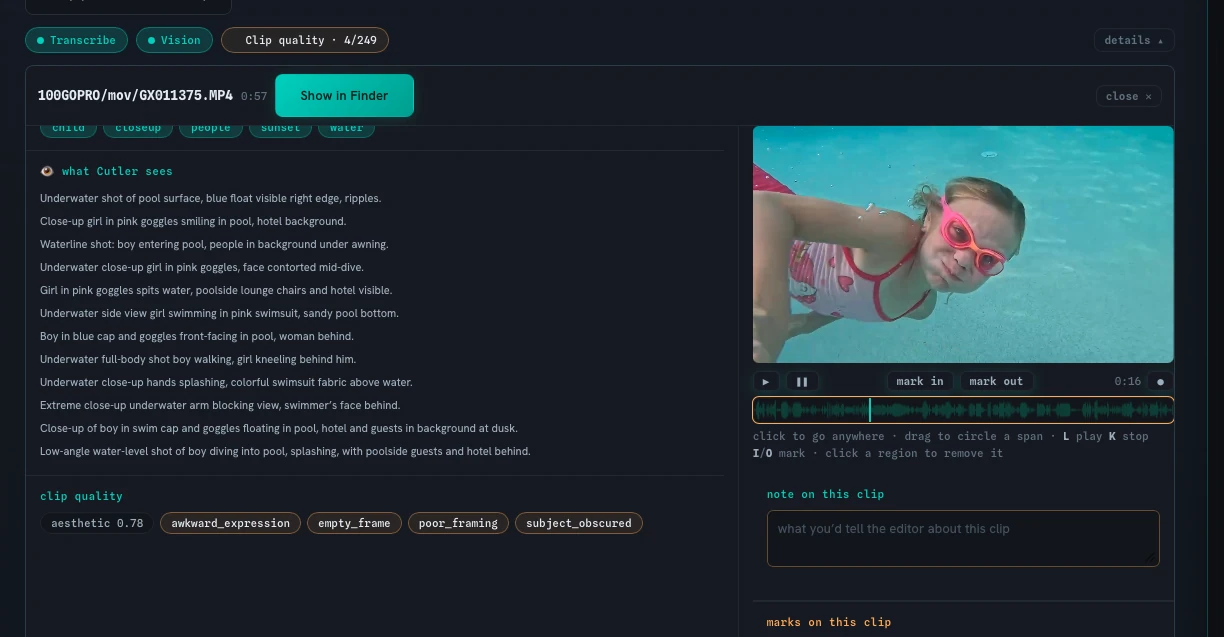
  • The prep done before you sit down: synced, transcribed, logged, with a proposed first cut
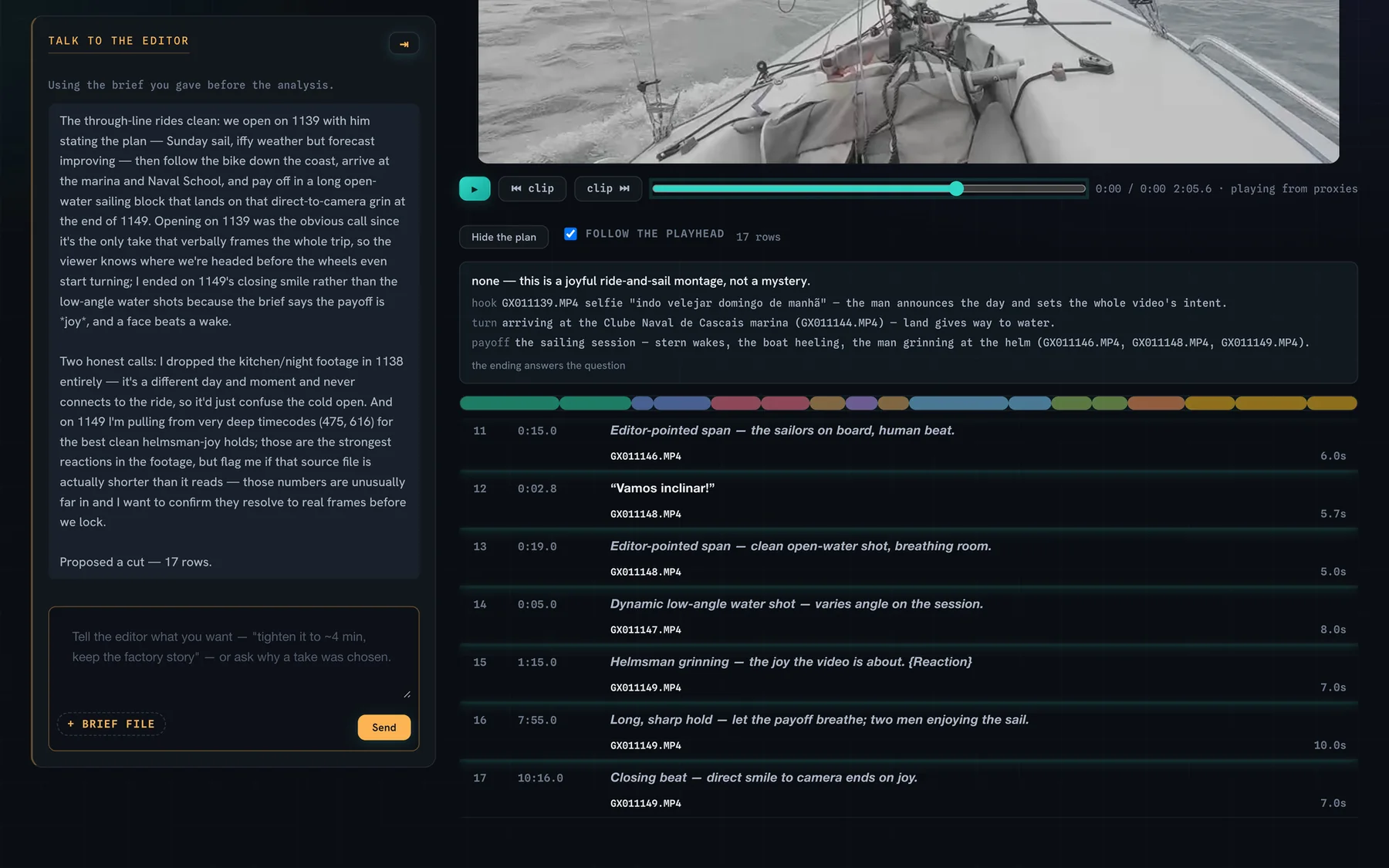
  • Every decision still yours. You approve, change or throw out anything the AI suggests
  • The workflow tuned to your own style of cutting, not a generic template
  • Motion graphics, copy, thumbnails and scheduled posts from the same edit
  • At least one real job done this way, with your own before-and-after time
  • A clear sense of which tools are worth your time, and which are noise
Session by session

Four sessions. From raw footage to scheduled post.

At the pace AI works. Everyone gets set up the day before, so session one ends with your first cut.

Session 1Thu 19 Nov · 2 h

From zero to your first AI cut

  • How AI works, and where it fits in a post workflow: what it does well, what it doesn't, and where you stay in charge.
  • Setting up your AI workspace: accounts, plans, usage limits, and how not to run out mid-job.
  • The tools in ten minutes: a quick guide to everything you'll use.
  • Prompting basics: how to ask for a cut.
  • Your first cut, live: your own footage in, a native project in your NLE out.

You leave with: Everything installed, and your first AI-assisted cut done.

Session 2Thu 26 Nov · 90 min

Prompting like an editor

  • Deeper prompting: pacing, structure, tone, what to keep and what to drop.
  • Tuning the workflow to your style, so the next cut already sounds like you.
  • Multicam, long interviews, series and batches.
  • Reading the proposed cut, overruling it, and keeping full control.
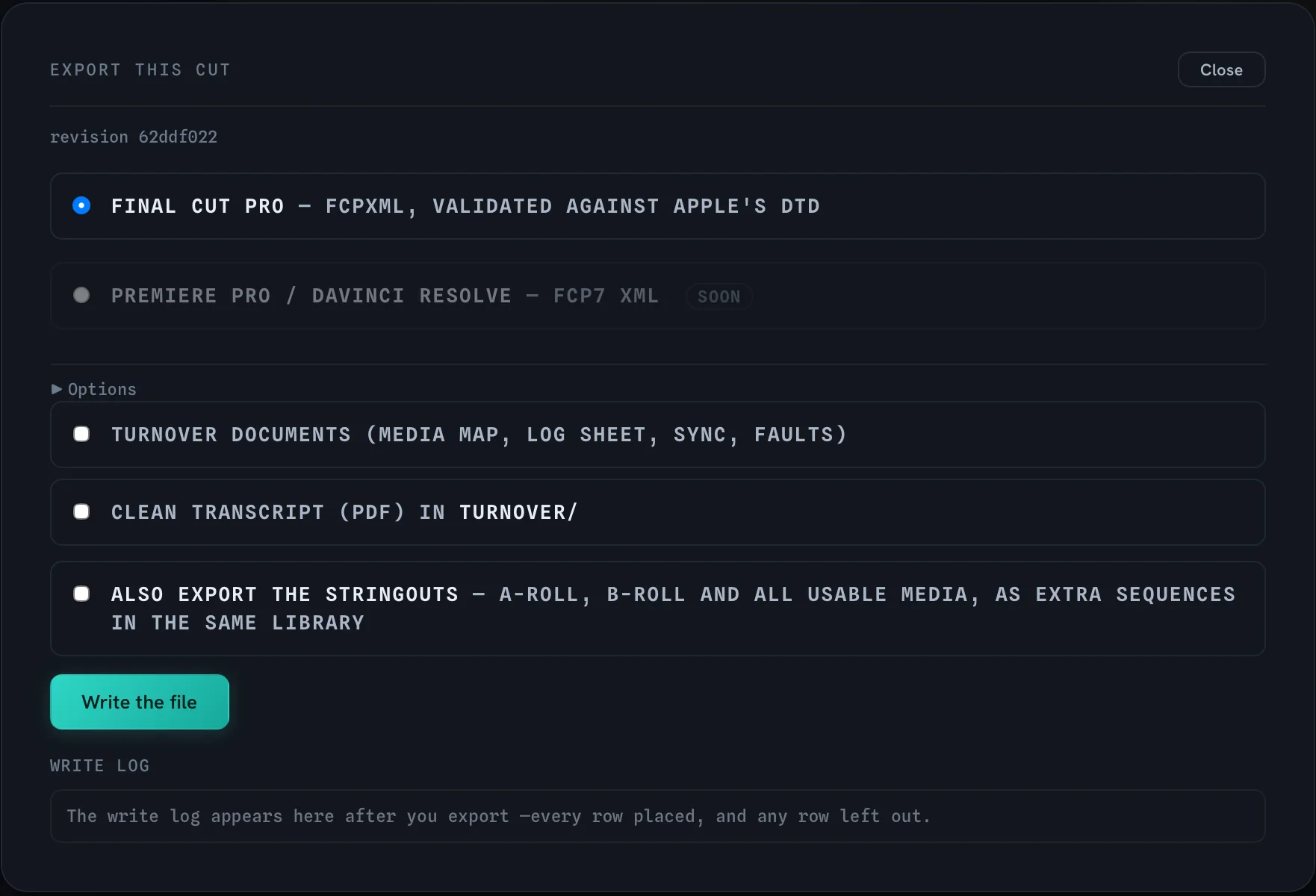
  • Export to Final Cut, Premiere or Resolve.

You leave with: One real job, start to finish, with your own before-and-after time.

Session 3Thu 3 Dec · 90 min

Beyond the cut: motion, copy, thumbnails

  • Motion graphics and titles generated from your edit, and placed back in the timeline.
  • Copy from the edit: titles, descriptions and captions in your own voice.
  • Thumbnails from the edit: picking the frame, building the image.

You leave with: One video fully packaged: graphics, copy and thumbnail.

Session 4Thu 10 Dec · 90 min

Publish, and stay ahead

  • Scheduling the posts: one edit, every format and platform, queued.
  • The whole workflow, end to end, on one job, live.
  • Everyone's before-and-after numbers.
  • Staying up to date without chasing every new tool.

You leave with: A workflow from raw footage to scheduled post, and your own numbers.

The day before, Wed 18 Nov at 18:30: an optional 30-minute setup clinic. You also get a short setup video and checklist when you join, so you arrive with everything installed.

The dates, in your time zone

SessionLisbon / LondonYour time
  1. 00Setup clinic (optional)Wed 18 Nov · 18:30–19:00—
  2. 01From zero to your first AI cutThu 19 Nov · 18:30–20:30—
  3. 02Prompting like an editorThu 26 Nov · 18:30–20:00—
  4. 03Beyond the cut: motion, copy, thumbnailsThu 3 Dec · 18:30–20:00—
  5. 04Publish, and stay aheadThu 10 Dec · 18:30–20:00—

Times in your own time zone are worked out by your browser. Add all four sessions and the setup clinic to your calendar (.ics)

Timed, on real jobs

How much faster.

5 h → 1 hPrep on an interview job. The edit was still mine.
1 month → 1 weekA month of a kids' YouTube channel, graphics and sound effects included, edited in one week.
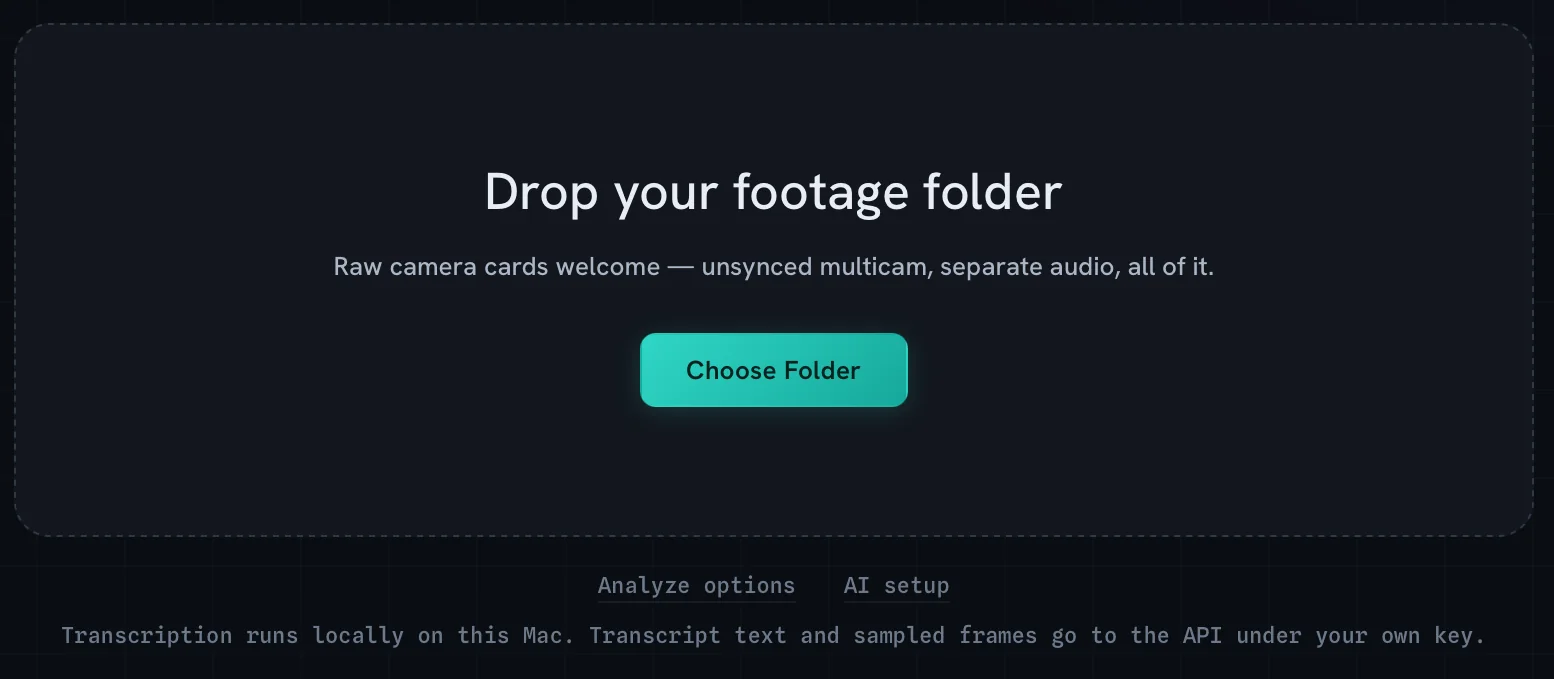
  1. Drop the folder.01 · Footage in

    Drop the folder.

    Raw cards, unsynced multicam, hours of interviews. As it comes off the shoot.

  2. AI does the prep.02 · The prep

    AI does the prep.

    Synced, transcribed, logged. Every clip described and flagged before you sit down.

  3. A proposed cut, with reasons.03 · You decide

    A proposed cut, with reasons.

    Every clip comes with a reason. Keep it, change it or throw it out. Nothing happens without you.

  4. A native project.04 · Your NLE

    A native project.

    Into Final Cut, Premiere or Resolve, on your original media. From here, it's your cut.

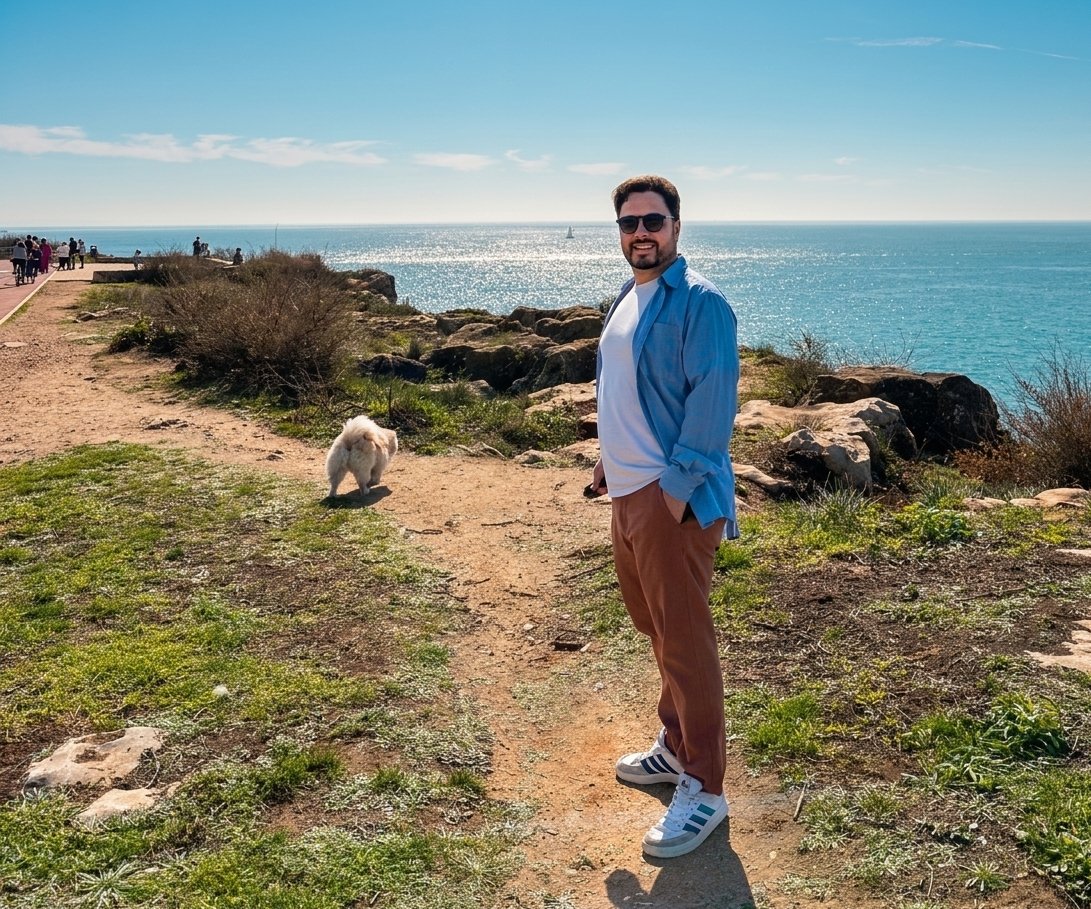
Erik Lindgren on the Cascais coast
Who teaches it

Erik Lindgren

I've edited professionally for more than twenty years: corporate films, brand work, interview series, and lately a kids' YouTube channel packed with graphics and sound effects.

Over the past year I rebuilt how I work around AI, and built Cutler to do it. The prep on an interview job went from five hours to one. A month of the kids' channel took a week. The cut stayed mine. I teach the workflow I use every day, including what didn't work.

  • 20+ yrsediting video professionally
  • 5 h → 1 hprep on an interview job
  • 1 month → 1 weeka kids' channel, graphics and sound effects included

Watch me work, free →

What you need

Bring a Mac and a real project.

You'll need: a Mac with Apple Silicon (a Windows version is in development) · Final Cut Pro, Premiere Pro or DaVinci Resolve · a paid Claude or ChatGPT plan · one real project with footage you're allowed to use.

Costs on top: the AI plan, from about $20 a month. Session one shows you how to stay inside its limits. Everything else, including Cutler, comes with your seat.

What you get

Everything in the seat.

  • 4Live sessionsWeekly · Thursdays 18:30 Lisbon · recorded
  • 1Setup clinicThe day before session one, plus a setup video
  • 12Months of recordingsFrom the first session
  • 1Cutler licenceYours to keep
  • ∞Every new edition of the mapAlumni get each quarterly update
  • 1Real job, done this wayWith your own before-and-after time
Half price founding cohort
€145Regular price €290
from cohort two

VAT included · 12 seats · starts Thu 19 Nov

Starts
Thu 19 Nov · 18:30 Lisbon
Ends
Thu 10 Dec
Seats
12 · runs at 8
On sale
Tue 27 Oct – Mon 9 Nov, 23:59 Lisbon

Seats open Tue 27 Oct · 12 seats · founding cohort at half price

Why half price

This is the founding cohort. You get the course at half the regular price; I get your honest feedback and, if you're happy, your before-and-after numbers for the next cohort. From cohort two, the price is €290.

The guaranteeCome to the first session. If it isn't for you, tell me before session two and you get everything back. Refunds

If fewer than 8 have joined by Mon 9 Nov, I'll move the start date and you choose: a full refund, or your seat on the new date.
Company paying?Send this: There's a four-week live course for video editors on working with AI in our NLE, on our own footage, €145. I'd come back much faster on the same quality. Can we cover it? Need an invoice or a PO first? Email support@miracontents.com.
Questions

Before you take a seat.

Will AI replace me?

Not the editor. It's replacing the old way of working: the hours of syncing, logging and sorting before the real cut. Clients still pay for the cut, and they expect it sooner. This course gets you there first.

Do I keep control of the edit?

Yes. The AI prepares and proposes; every clip comes with a reason, and you keep, change or throw out anything. Nothing ends up in your timeline that you didn't approve.

Which editing software?

Final Cut Pro, Premiere Pro or DaVinci Resolve. You get a native project in your own NLE, on your original media.

I'm on Windows.

Not for this cohort: the workflow needs a Mac with Apple Silicon today. A Windows version of Cutler is in development. Join the waitlist and tell me, and you'll hear first.

I'm not technical.

If you can install an app and sign in to an account, you're fine. You get a setup video when you join, and there's a setup clinic the day before session one (Wed 18 Nov, 18:30).

What does it cost on top?

A paid Claude or ChatGPT plan, from about $20 a month. Session one covers usage limits, so you don't run out mid-job. Cutler is included with your seat.

Why half price?

It's the founding cohort. You get it at half the regular price; I get your feedback and, with your permission, your numbers. From cohort two it's €290.

Is this an ad for Cutler?

It's taught with Cutler because I built it for exactly this workflow, and your seat includes a licence, so there's nothing to upsell. What you learn about prompting, tuning and finishing works beyond any one tool.

Can I use client footage under NDA?

Use a project you're allowed to run through AI tools. Your work is shown in a session only if you volunteer it.

Is it recorded? What if I miss a session?

Every session is recorded and up within 48 hours, and you keep the recordings for 12 months.

What language, what time?

English, live online. 18:30 Lisbon/London is 19:30 in Paris or Berlin, and 13:30 in New York. The schedule shows every session in your own time zone.

Can my company pay?

Yes. Add the company's VAT number at checkout and Paddle invoices the company. The “Company paying?” note under the price is ready to forward.

What if I want a refund?

Full refund, for any reason, until the first session starts (Thu 19 Nov, 18:30 Lisbon). After that, within 14 days of buying, you pay only for the sessions already held. And the guarantee: come to the first session; if it isn't for you, tell me before session two and you get everything back. The detail is in the refund policy.

What if not enough people join?

If fewer than 8 have joined by Mon 9 Nov, I'll move the start date and you choose: a full refund, or your seat on the new date.